Hi there,
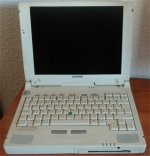
I have been wanting to use a generic power adapter with my Compaq Armada 7350 and Armada 7400 for a while now, they're the only laptops I have that require the original power adapter so I've been doing some research on how to achieve that. I made up a replacement power connector but it won't power up using that resistor method.
Since I have the original power supply, I decided to take another look and see what the charger actually does, by cracking the plastic housing open:
It appears that the charger is literally a battery charger rather than a simple DC adapter, which is probably why there are no aftermarket adapters or universal DC jack adapters for this plug type. I think that with the Armada 7300 series being bleeding edge for the time, Compaq decided to put part of the lithium ion battery charging circuitry into the DC adapter rather than internal and the result of this is that the DC input to the laptop is hooked DIRECTLY to the battery positive terminal, so any DC power you input to the laptop can be charging up the battery! The charger's output voltage is specified by the laptop as it runs so that the laptop's battery is charged up to its maximum voltage, putting 19 volts into the laptop battery's positive terminal is pretty risky.
Only the upper left (ground) and upper right (DC power input) are power lines, the other two are signal lines that are used for determining the charger's output voltage. I am not going to attempt to determine how those work in depth because I'm trying to run this laptop off of USB-C at a fixed voltage and there's no way to alter the USB-PD trigger board's voltage on the fly to make it operate as the original charger does.
The laptop seems to have some interlock or signal check that requires a voltage or signal on the lower-left pin, which is the thin black wire in the charger itself. If this voltage isn't present then the laptop won't detect the power supply - see this setup I used to test, putting 3.3 volts in with a bench PSU allowed the laptop to start up:
The lower-right pin since it's a thin wire I reckon it must be some kind of charge feedback line? Since my method won't be smart enough to charge the battery I'm not going to use that on my version, the laptop can start without the lower-right ~14v yellow wire connected up.
My solution is to use a USB-PD trigger board set for 15 volts as a basic 15 volt input to the upper-right VBATT pin on the laptop. To get the 4.7 volts, or 3.3 volts was fine - PD trigger boards have their own 3.3 volt power supply that I think is generated by the main chip on this board. Hooking a wire into the trigger board's 3.3 volt rail and feeding that into the lower-left pin on the laptop:
Now with that, the laptop can be run from USB-C but it's not really safe yet. This is a dumb power supply that from the laptop's perspective should be a variable power supply that can increase its voltage, but because the voltage can't increase the battery can never charge. My solution since the batteries are dead on my ones was to put kapton tape onto the positive terminal of the battery connector on the laptop. So when the battery is connected it's isolated from the DC input and the laptop can now run without attempting to charge the battery.
Without the kapton tape, my 7400 was fine but the 7350 got upset and wouldn't post, but with the battery (+) insulated it's booting every time.
If you want to charge the battery? Get the real charger, part codes in picture #1